Going mobile

I switched from Microsoft to Apple on desktop, but on mobile I’m jumping (trying) from Palm to Microsoft. I’ve bought a Dopod 720w, which runs windows mobile 5 smartphone edition. It’s gorgeous and slim, with bright screen, Wi-Fi, Edge, Gprs, push e-mail, excellent call quality and long talk time battery life. You can listen to the music or watch videos with it’s windows media player 10 mobile (supports AAC, MP3, WAV, WMA, MPEG-4 , and WMV files). I’ve been mobile surfing web for a while and discovered that my blog is not so mobile friendly. I found a neat script, with step-by-step instruction that converts your blog or web site mobile friendly in just 2 minutes.
So, here is my mobile friendly blog — http://mobile.nirlog.com, created in 2 minutes.

Browsing with my dopod
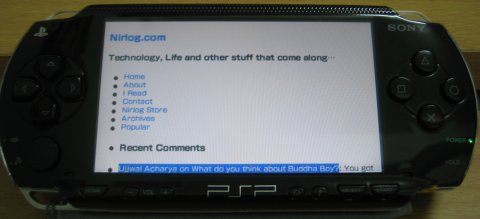
With wider screen, it looks even better at my sons PSP
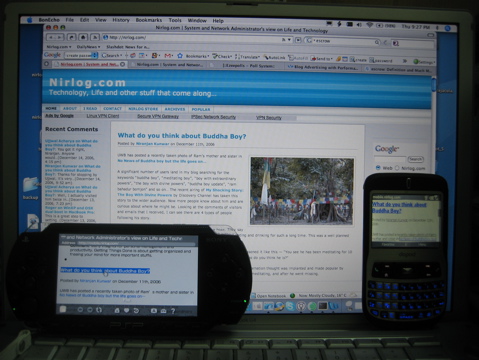
Desktop and mobile browsing
For the mobile email currently I’m using 4smartphone.net, they provide hosted push email service. I synchronize email, calendar and contacts with Dopod. So, my emails, calander and contacts are in sync with my mobile, desktop (outlook/entourage) and web (outlook web). This is an amazing convenience and control. Push email is cheaper and easier to implement than Blackberry.
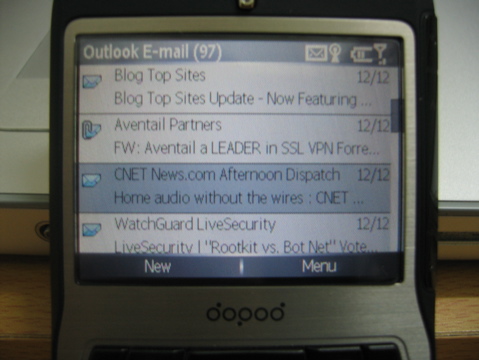
push email from 4smartphone.net in my pocket outlook
If you’re looking for a free mobile email service, then Gmail Mobile is an excellent choice. You need to download a small java application to your mobile device once, after that you can access your Gmail on your phone with few clicks. I’ve tried the Gmail Mobile and can say that it simply rocks.

Receiving email with Gmail Mobile
And finally here is an extensive list of popular mobile friendly web sites.





hi there- great site, just going thru the blackberry vs wm5 thing myself – what i wanted to know is – i brought my 720w dopod in hong kong, and the software is in chinese – do you know where to get the software and or an english manual??
Hi Brendon,
I’m glad that you like the site. You can change the language in 720w to English by going to the settings–>Regional Settings–>Language (it supports Chinese and English). There’re few applications only in Chinese Though. You can download the latest ROM and English Manual from the the Dopod Asia’s web site. you’ll need to register the S/N of your dopod to get the access.
I do need to get dopod 720W Manual for my friend who will buy it from me, as I planed to buy a new dopod model after sold this 720W.
Thanks in advance for your supports.
Faithfully Yours,
Wanchai K.